
Introduction
Downloading videos for offline viewing can be useful when you have limited internet access or want to save media for later. However, not every video downloader works on every device. ClipGrab is a popular desktop application, but Android users need suitable mobile ClipGrab Alternatives for Android to download and manage media directly from their smartphones.
Fortunately, several Android applications offer similar features, including video downloading, audio extraction, playlist support, and format selection. Some also provide additional options, such as background downloads, subtitles, and download queues. In this guide, we explore the ClipGrab Alternatives for Android worth considering in 2026. We compare five options, explain their features, and highlight their advantages and limitations to help you choose an application that suits your needs.
What Is ClipGrab?
ClipGrab is a free video downloader and converter designed for desktop computers. It allows users to download online videos from supported websites and convert them into different formats. Its main purpose is to make saving online media straightforward. Users can paste a video URL, select an available format and quality, and start downloading.
Some of its commonly associated capabilities include:
- Downloading videos from supported websites.
- Extracting audio from compatible videos.
- Selecting available video formats.
- Choosing video quality when supported.
- Converting downloaded media into formats such as MP4 and MP3.
- Managing downloads through a desktop interface.
Does ClipGrab have an Android version?
ClipGrab is primarily a desktop application for Windows, macOS, and Linux. It does not provide an official Android application. Therefore, Android users should consider independent mobile applications rather than downloading APK files claiming to be the official ClipGrab Android release. This is where the following alternatives become useful.
Best ClipGrab Alternatives for Android
The following applications are worth considering if you want to download or manage online media on an Android device. Each one has a different purpose, so the best choice depends on your preferred websites, download formats, and required features.
1. YTDLnis
YTDLnis is a powerful Android video and audio downloader based on yt-dlp. It supports more than 1,000 websites supported by its underlying downloader engine, making it a flexible option for people who regularly save online media.
Unlike basic downloading applications, YTDLnis provides detailed control over file formats, quality, subtitles, and download settings. It is particularly useful for users who want more control over their downloads.
Features of YTDLnis
- Wide website support: Works with many websites supported by yt-dlp.
- Audio and video downloads: Choose between supported audio and video formats.
- Playlist downloads: Process multiple videos through playlist and batch features.
- Download queue: Organize, reorder, pause, and resume supported downloads.
- Subtitle options: Configure subtitles for compatible media.
- Format selection: Customize available formats and quality.
- Sharing integration: Send links directly from other Android applications.
- Advanced settings: Use custom commands and additional download configurations.
Pros and Cons of YTDLnis
Pros
- Free and open-source application.
- Supports a wide range of websites.
- Offers advanced download customization.
- Supports batch and playlist downloads.
- No advertisements according to its official documentation.
Cons
- Beginners may find its settings complicated.
- Some downloads require technical adjustments.
- Website compatibility can change when platforms update their systems.
- Not available through Google Play.
2. Seal Downloader for Andoird
Seal is another useful application for Android users who want a straightforward way to download online videos and audio. It uses yt-dlp to process supported media links and provides a clean interface based on Material Design.
The application focuses on simplicity without removing important downloading options. Therefore, it can be a good choice for users who want useful features without dealing with too many complicated menus.
Features of Seal for Android
- Simple interface: Offers a clean and beginner-friendly layout.
- Video downloading: Downloads supported videos from compatible websites.
- Audio extraction: Saves audio from supported video sources.
- Playlist support: Downloads multiple videos from supported playlists.
- Subtitle integration: Allows compatible subtitles to be embedded.
- Metadata support: Adds available metadata and thumbnails to extracted audio.
- aria2c integration: Uses an external downloader option to manage supported downloads.
- Custom commands: Supports customized yt-dlp commands.
Pros and Cons of Seal APK
Pros
- Free and open source.
- Attractive and simple interface.
- Supports audio and video downloads.
- Offers playlist downloading.
- Available through F-Droid and GitHub releases.
Cons
- Some advanced options require additional knowledge.
- Website compatibility depends on yt-dlp.
- Certain links may fail because of website restrictions.
- Requires manual APK installation when not using F-Droid.
3. NewPipe APK
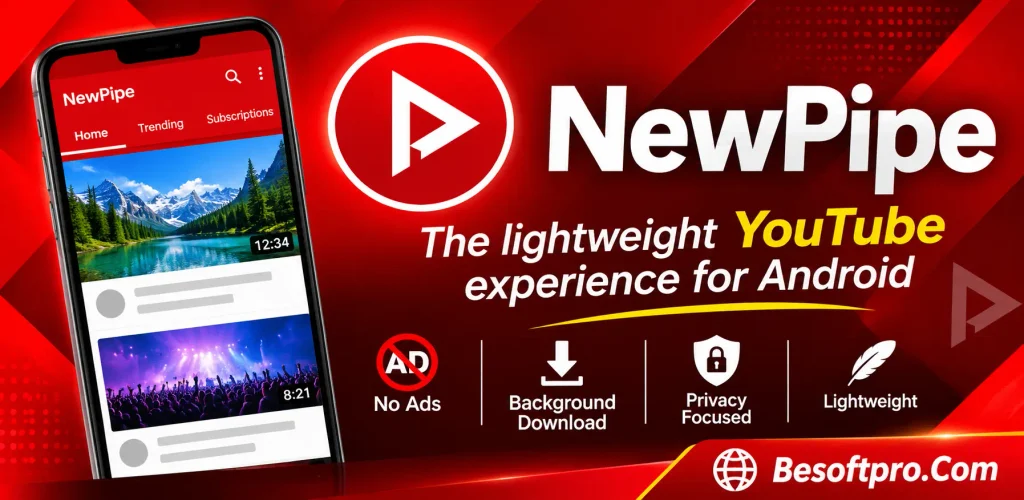
NewPipe is a lightweight, open-source Android media application designed for accessing supported online media platforms without relying on the official platform applications.
It is especially useful for users who want a simple media experience with background playback and offline downloads. In addition, it supports several services, including YouTube, SoundCloud, PeerTube, and Bandcamp.
Features of NewPipe APK
- Offline downloads: Save supported media for offline access.
- Background playback: Continue audio playback while using other applications.
- Lightweight design: Provides a relatively simple interface.
- Multiple services: Supports several compatible media platforms.
- Subscriptions: Organize and follow channels.
- Playlist management: Create and manage playlists.
- Privacy-focused approach: Does not require a Google account.
- Media controls: Provides playback controls and useful viewing options.
Pros and Cons NewPipe for Android
Pros
- Free and open source.
- Lightweight Android application.
- Supports several media platforms.
- Includes background playback.
- Offers offline media features.
Cons
- Not designed as a universal website downloader.
- Some platforms may stop working temporarily.
- Interface and functionality differ from traditional download managers.
- Not available through Google Play.
4. LibreTube for Android
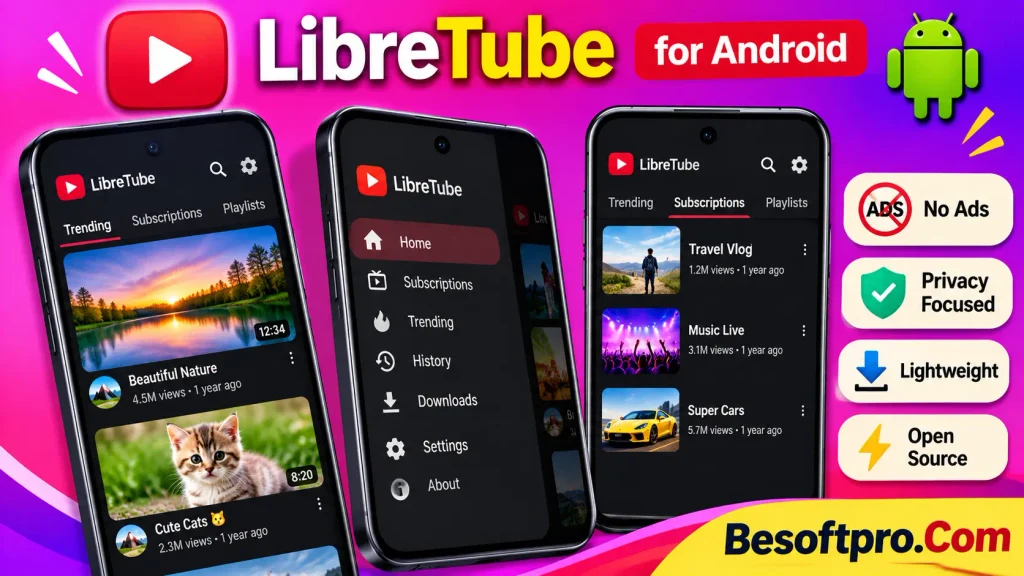
LibreTube is an open-source Android application that provides an alternative way to access YouTube content. It focuses on privacy, user control, and a modern viewing experience.
Unlike general-purpose download managers, LibreTube is specifically designed around YouTube. It includes features such as subscriptions, playlists, background playback, and downloads.
Features of LibreTube
- Video downloads: Save supported YouTube media for offline viewing.
- Background playback: Listen to supported videos while using other applications.
- Subscription management: Follow channels and organize subscriptions.
- Playlist support: Create and manage personal playlists.
- SponsorBlock integration: Skip supported sponsored segments.
- Privacy features: Provides an alternative viewing experience without traditional YouTube account integration.
- Modern interface: Uses Material Design components.
- Optional synchronization: Supports user data synchronization through compatible Piped services.
Pros and Cons of LibreTube APK
Pros
- Free and open source.
- Modern and attractive interface.
- Offers offline downloads.
- Includes useful privacy features.
- Supports background playback.
Cons
- Focuses on YouTube rather than multiple websites.
- Depends on external services and APIs for some functionality.
- Some features may experience temporary interruptions.
- Not a complete replacement for a general-purpose download manager.
5. 1DM: Browser & Video Download
1DM, previously known as IDM, is a popular Android download manager that combines a built-in browser with file and media downloading features.
It is a suitable choice for people who regularly download different types of files, including documents, images, audio, and supported video content. Moreover, its download management features make handling several files more convenient.
Unlike some other applications in this list, 1DM does not support downloading from YouTube. This is an important distinction for users choosing a downloader specifically for that platform.
Features of 1DM
- Multi-thread downloading: Uses multiple connections for supported downloads.
- Pause and resume: Continue interrupted downloads when supported by the server.
- Built-in browser: Browse websites and detect supported media links.
- Video detection: Identifies compatible downloadable media.
- Batch downloading: Manage multiple files together.
- Clipboard detection: Recognizes copied download links.
- Download scheduling: Schedule downloads with the supported paid version.
- File management: Organize downloaded documents, videos, and other files.
- Background downloading: Continue downloads when Android permits background activity.
Pros and Cons 1DM for Android
Pros
- Available through Google Play.
- Supports different file types.
- Offers a built-in browser.
- Provides pause and resume options.
- Supports multiple simultaneous downloads.
Cons
- Free version contains advertisements.
- YouTube downloads are not supported.
- Some advanced features require the paid version.
- Not every streaming website exposes downloadable media.
General Comparison of the Five ClipGrab Alternatives for Android
The following table provides a quick comparison of the five applications. It highlights their primary purposes, pricing, and important features.
| Application | Main purpose | Pricing | Website support |
| YTDLnis | Advanced media downloading | Free | 1,000+ yt-dlp-supported sites |
| Seal | Video and audio downloading | Free | yt-dlp-supported sites |
| NewPipe | Media browsing and downloads | Free | Multiple supported platforms |
| LibreTube | YouTube viewing and downloads | Free | YouTube-focused |
| 1DM | General file and media downloads | Free / Paid | Supported downloadable links |
If you want to Download ClipGrab Alternatives for Android, check the latest release information and installation requirements first. This will help you select a suitable application while keeping your device secure.
Note: Website support does not guarantee that every video can be downloaded. Availability depends on the source website, media restrictions, and application updates.
Which ClipGrab Alternative Should You Choose for Android?
For users searching for ClipGrab Alternatives for Android free, Seal and YTDLnis are particularly useful options to explore. However, users looking for broader file management may prefer 1DM. Choosing between the available applications depends on what you want to download and how much control you need.
- For advanced downloading: Choose YTDLnis because it offers extensive customization and broad yt-dlp compatibility.
- For a simple interface: Seal provides a convenient experience with useful downloading features.
- For multiple media platforms: NewPipe is worth considering because it supports several services.
- For YouTube-focused viewing: LibreTube provides subscriptions, playback, and offline features.
- For general files: 1DM is a practical option for managing documents, images, and supported media downloads.
When testing ClipGrab Alternatives for Android, compare download reliability, supported websites, available formats, and Android compatibility instead of choosing an application based only on its popularity.
For ClipGrab Alternatives for Android Download options, prioritize official developer websites and trusted repositories. A search for ClipGrab Alternatives free Download should never lead you to install an unverified or modified APK.
Tips for Beginners on ClipGrab Alternatives for Android
If you are using an Android downloader for the first time, follow these practical tips to avoid common problems and manage your files properly.
1. Choose an Application That Matches Your Needs
Before installing ClipGrab Alternatives for Android, decide whether you need a general downloader, a YouTube-focused application, or a tool that supports multiple websites. This will help you avoid installing applications with unnecessary features.
2. Download From Official Sources
Always obtain applications from their official websites, verified GitHub repositories, or trusted repositories such as F-Droid. Avoid modified APKs and unofficial download pages because they may contain harmful files.
3. Check Android Compatibility
Some applications require specific Android versions. For example, YTDLnis requires Android 7.0 or newer, while NewPipe supports Android 6.0 and above. Check the current requirements before downloading an APK.
4. Select the Right Video Quality
Higher video quality usually requires more storage space and internet data. If you only need a video for casual offline viewing, a lower resolution may be sufficient.
5. Check Available Storage
Make sure your device has enough free space before downloading large videos or playlists. You should also organize your downloaded files into separate folders for easier access.
6. Keep Applications Updated
Video platforms regularly change their website structures and technical systems. Consequently, older downloader versions may stop working. Install updates from the application’s official distribution channel.
7. Understand Download Permissions
Only download videos that you own, have permission to save, or are legally available for downloading. Respect copyright laws and the terms of the website you are using.
Pros and Cons of ClipGrab Alternatives for Android
When comparing ClipGrab Alternatives for Android, it is important to understand that no single application offers every feature. Each tool has different strengths and limitations.
Advantages
- More mobile convenience: Download and manage supported media directly on Android.
- Different downloading options: Choose applications for audio extraction, video downloads, or general file management.
- Offline access: Save permitted media for viewing without an internet connection.
- Flexible formats: Some applications provide several audio and video format options.
- Better download management: Queue, pause, resume, and organize supported downloads.
- Free options: Several applications provide open-source features without subscription fees.
Disadvantages
- Website restrictions: Not every application supports every video platform.
- Compatibility problems: Updates to websites can interrupt downloading functionality.
- Manual installation: Some applications require APK installation rather than Google Play.
- Technical difficulties: Advanced tools may be confusing for beginners.
- Legal limitations: Downloading copyrighted material without permission can violate applicable laws or platform terms.
Final Thoughts on ClipGrab Alternatives for Android
Finding the right downloader depends on your device, preferred websites, and downloading requirements. Although ClipGrab remains a useful desktop application, Android users have several independent options that provide comparable or additional media management features.
Among the five options, YTDLnis stands out for advanced downloading and customization, while Seal offers a simpler experience. NewPipe and LibreTube are more suitable for users interested in media browsing and offline playback. On the other hand, 1DM is a practical choice for managing different types of downloadable files.
Ultimately, the Best ClipGrab Alternatives for Android are the ones that match your requirements without compromising device security or respecting neither copyright nor platform restrictions. Choose an application from its official source, check its compatibility, and use it responsibly. With the right tool, you can make offline media management more convenient on your Android smartphone.
Frequently Asked Questions
Are ClipGrab Alternatives for Android free?
Yes. Several options are available without a subscription. YTDLnis, Seal, NewPipe, and LibreTube are free and open-source applications. However, 1DM offers both free and paid versions, with certain advanced features reserved for its paid edition.
Where can I get ClipGrab Alternatives for Android APK files?
You can obtain APK files from the official websites and verified repositories of the respective developers. For example, YTDLnis provides official APK downloads through its website, while Seal and NewPipe offer trusted distribution options through F-Droid and their official projects.
Searches such as ClipGrab Alternatives APK, Best ClipGrab Alternatives APK, and ClipGrab Alternatives for Android free Download may lead to unofficial websites. Always verify the developer and download source before installing anything.
Is ClipGrab Alternatives for Android Download safe?
The safety of an application depends on its developer, distribution source, permissions, and update practices. Downloading from an official project website or trusted repository is generally preferable to using unknown APK websites. Nevertheless, no application should be considered completely risk-free.
Can I download YouTube videos using these applications?
Some applications provide YouTube-related media features, but their availability and functionality can change. YouTube’s terms generally restrict downloading content outside its authorized download features unless permitted by the service or rights holder. Always check applicable permissions and terms before downloading.
Which application is best for beginners?
Seal Downloader is a good starting point for users who want a straightforward video and audio downloader. Meanwhile, 1DM is suitable for people who need a general download manager for supported files and websites.
Do these applications support MP3 downloads?
Some applications, including YTDLnis and Seal, support audio extraction from compatible sources. Available formats depend on the original media and the application’s settings.