Polsun App for Android | Features, Registration, Rewards and Safety Guide 2026
46 MB
V1.4.3
Android 5.0+
427
Description
Introduction
Mobile applications have created new ways for people to enjoy digital entertainment, explore online services, and participate in reward programs like Polsun App for Android. Many smartphone users also search for online earning games and apps that advertise bonuses, referral rewards, or opportunities to earn through mobile activities. However, not every application that promotes rewards provides a reliable source of income. Therefore, users should understand how an app works before sharing personal information or investing money.
Polsun App for Android is listed on Google Play under the developer name PT XELO DIGITAL ENTERTAINMENT. Its published description mentions inviting friends to earn rewards, support for multiple languages, and investment-related services. These details provide a starting point for understanding the platform, but they do not establish that every advertised earning opportunity is available in Pakistan. This guide explains the information currently available, how to approach installation and account setup, and which details you should verify before using the app.
What Is Polsun?
Polsun is an Android application that promotes referral rewards and describes itself as offering investment-related services. According to its Google Play listing, users can invite contacts or friends to earn rewards, while multilingual support aims to make the application accessible to people who prefer different languages.
When researching Polsun App for Android, it is important to distinguish between the developer’s published description and independently verified results. The available listing does not establish a guaranteed income, a particular withdrawal method for Pakistani users, or a verified history of successful payments. Consequently, users should not treat the app as a dependable income source without additional evidence.
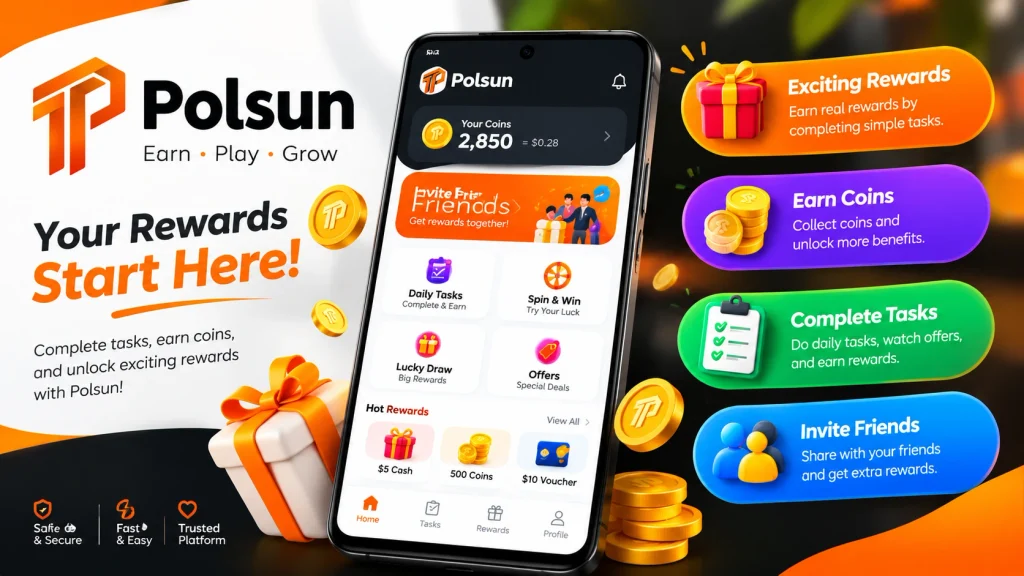
The platform may appeal to people exploring digital reward applications. Nevertheless, before creating an account, review the developer’s information, privacy policy, terms of service, and any financial conditions. If the application offers investment products, check their regulatory status and risks separately from ordinary referral rewards.
How to Get Started With Polsun App for Android
Before beginning, confirm that you have found the correct application and that its features are available in your country. The following steps provide a cautious starting point.
Find the Official Listing for Polsun App for Android
Search for Polsun on Google Play and check the app name, developer, current description, permissions, and recent reviews. If the listing is unavailable in your region, do not assume that an unrelated APK website offers a legitimate alternative.
Review the Application Details
Read the privacy policy and terms of service before proceeding. In particular, check how the application handles personal information, what its reward conditions require, and whether it offers financial services that need further verification.
Install the Polsun App on Android
If Google Play makes the app available to your device and region, tap Install and wait for the installation to finish. Avoid granting unnecessary permissions.
Open the App and Explore
Review the available menus before registering or making financial commitments. Look for account settings, customer support, referral terms, and any clearly documented payment information.
Decide Whether to Register
Create an account only after you understand the basic requirements and feel comfortable with the information the application requests. Never provide your wallet PIN, banking password, or one-time password to an app representative.
Polsun App Download for Android: What to Check
Users looking for Polsun App for Android should prioritize a trustworthy download source rather than simply searching for the newest APK file.
Follow these recommendations:
- Prefer the official Google Play listing when it is available.
- Confirm the developer’s identity and application details.
- Check whether the latest version has a clear update history.
- Review the permissions requested by the app.
- Avoid modified APKs, unofficial clones, and files distributed through unknown messaging groups.
- Do not disable Android security protections just to install an unfamiliar application.
What About Polsun APK?
An APK is the installation package used by Android applications. Searching for a Polsun APK does not guarantee that a file is genuine, current, or safe.
If you cannot access the official listing, wait until you can verify a legitimate distribution source. A third-party download page may display an app name, version number, or logo without proving that the file came from the original developer.
How to Register on Polsun
The exact registration process should be confirmed inside the current application because its available screens and account requirements may change.
If registration is offered, use this general process:
- Open the application and look for a button labelled Register, Sign Up, or a similar option.
- Read the terms and privacy notice before submitting information.
- Enter only the details genuinely required to create an account.
- Complete any legitimate verification process shown by the app.
- If the platform offers a referral code, enter one only if you understand its conditions.
- Review your account settings and secure your login details.
Do not assume that registration is available through a particular phone number, email address, or Pakistani mobile wallet unless the application explicitly confirms it.
How to Log In to Your Account
After registering, users can check whether the application provides an existing-account login option.
- Open Polsun on your Android device.
- Select Login or Sign In, if available.
- Enter the credentials associated with your account.
- Complete the app’s verification process, if required.
- If you cannot access your account, use the official recovery option or verified support contact.
Choose a strong, unique password wherever passwords are supported. Additionally, avoid logging in through links sent by unknown people, as fraudulent pages can imitate legitimate account screens.
How to Withdraw Bonuses and Rewards on Polsun
Withdrawal information deserves particular attention because an on-screen reward balance does not automatically mean that money is available to cash out.
The available Google Play description mentions referral rewards, but it does not confirm specific withdrawal limits, processing times, or Pakistani payment methods. Therefore, Polsun App for Android users should verify the complete payment process before relying on any advertised balance.
Check the Reward Conditions
Open the reward or referral section, if available. Determine whether rewards are cash, points, credits, or another type of benefit.
Review the Withdrawal Rules
Look for the minimum withdrawal amount, applicable fees, eligibility requirements, processing times, and supported countries.
Verify the Payment Method
Do not assume that JazzCash, Easypaisa, or direct bank transfers are supported. Confirm the available payment methods in the current application and read the relevant terms.
Check Whether the Reward Is Withdrawable
Some promotional bonuses cannot be withdrawn directly or may have additional conditions. Make sure you understand these restrictions before spending money or completing tasks.
Monitor Any Withdrawal Request
If a legitimate withdrawal option exists, retain the transaction reference and review its status through the app’s official interface. Contact verified support if a payment remains unresolved.
Important safety warning: Never pay an extra fee, tax, deposit, or account-unlocking charge merely because someone promises to release your reward. Verify any legitimate charges independently, and walk away from requests that appear suspicious. Never share your wallet PIN or OTP.
Features and Potential Benefits of Polsun App for Android
The following features are mentioned in the published app description. Their presence does not guarantee financial returns or establish that all functions work identically in Pakistan.
Referral Rewards
The developer states that users can invite friends or contacts and earn rewards. Before participating, check how referrals qualify, whether rewards have limits, and whether inviting others is optional.
Multiple-Language Support
The listing advertises support for multiple languages. This can help users who prefer a language other than English, although the exact languages available should be checked in the app.
Digital Service Access on Polsun App for Android
The developer describes the application as providing investment-related services. Users should investigate what these services actually include and verify the provider’s credentials before considering any financial activity.
Mobile Accessibility
An Android application can make account access convenient from a compatible smartphone. However, the actual device requirements, performance, and availability depend on the current version and the user’s device.
Centralized Account Management
If the installed version includes account and reward sections, users may be able to review their information within the app. Check the available controls before submitting sensitive data.
What’s New in Polsun App?
For anyone searching for Polsun App Latest Version, the safest approach is to consult the official listing rather than trust version numbers copied onto unrelated download websites.
The Google Play listing available during research displayed an update date of September 19, 2026. Its published update notes mentioned referral rewards and multilingual support. These notes describe the listed features; they do not independently prove that users have received payments.
Before updating, check the following:
- Whether the developer has published a newer version.
- What the latest update notes actually say.
- Whether the app requests new permissions.
- Whether its privacy policy or reward conditions have changed.
- Whether recent user reviews report unresolved technical or payment issues.
If you already have the app installed, use the official update mechanism when available. Avoid downloading a supposed latest version simply because an unfamiliar website labels it as new.
Tips for Beginners on Polsun App
Anyone exploring Polsun App for Android can reduce avoidable risks by following a few basic principles.
Start Without Financial Commitments
Explore the available features before considering any deposit or paid service. You should never borrow money to participate in an unfamiliar earning platform.
Verify Every Earning Claim on Polsun App
Treat screenshots, promotional videos, and testimonials as claims rather than proof. Look for independent, credible evidence and clear terms explaining how rewards work.
Protect Your Personal Information
Grant only necessary permissions. Do not share identity documents unless there is a legitimate, clearly explained reason and you have verified the recipient.
Understand Referral Requirements
Before inviting friends, check whether rewards depend on registration, deposits, purchases, or other activities. Explain those conditions honestly instead of promising guaranteed income.
Set a Strict Budget
If the app offers financial activities, understand the potential losses before participating. Stop if the terms are unclear or if you feel pressured to deposit more money.
Compare Alternatives Carefully
People searching for the best online earning app should compare transparent reward conditions, verified payout methods, privacy practices, and support quality. A platform that does not require an upfront payment may still collect data or impose restrictive conditions, so evaluate the complete service.
Keep Realistic Expectations
An earning app is not automatically a job or a dependable income source. Consider free learning resources, verified freelance opportunities, and legitimate task platforms if your main objective is to build a sustainable source of income.
Pros and Cons of Polsun App
The following assessment separates published features from points that remain unverified.
Pros
- Referral rewards: The developer advertises a reward program for inviting friends.
- Multiple languages: The listing states that the app supports multiple languages.
- Android availability: A Google Play listing provides a starting point for checking the application.
- Information before installation: Users can review the published developer details and app description before proceeding.
Cons and Uncertainties
- Limited verified earning information: The available description does not establish typical earnings or guaranteed returns.
- Financial services need scrutiny: Investment-related features should be evaluated separately for legitimacy and risk.
- Regional availability may differ: Access to the application and its features may depend on the user’s country.
- Referral conditions may apply: The actual requirements and limitations should be reviewed before inviting other people.
These points are not proof that the app is fraudulent. Rather, they identify the information a careful user should verify before deciding whether to use it.
Is Polsun App for Android Safe to Use?
No app should be considered safe solely because it appears in an app store. Google Play availability is useful, but it does not guarantee that every advertised earning claim is accurate or that an investment service is suitable for you.
Before using the application, check the developer’s identity, privacy policy, customer support, and any relevant financial authorizations. If it offers investment products, verify the provider and product with the appropriate regulatory authority.
Also, distinguish ordinary referral rewards from gambling-style games and investment opportunities. These activities involve different rules and risks. If an app asks you to deposit money to unlock a promised payout, pressures you to recruit others, or repeatedly introduces new withdrawal charges, stop and investigate before proceeding.
Frequently Asked Questions about Polsun App
1. What is Polsun App?
Polsun is an Android application listed by PT XELO DIGITAL ENTERTAINMENT. Its published description mentions referral rewards, multiple-language support, and investment-related services.
2. Is Polsun available for Android?
A Google Play listing exists. However, installation availability may depend on your device and region. Check the official listing for the current status.
3. How can I download Polsun App on Android?
Visit the official Google Play listing and follow the installation instructions if the app is available. Avoid unverified APK files and modified versions.
4. Can I earn real money with Polsun?
The published description mentions referral rewards, but the available information does not independently verify actual cash payouts or typical earnings. Confirm the terms and payment evidence before relying on any reward claim.
5. Does Polsun support JazzCash or Easypaisa?
Specific support for these Pakistani payment methods has not been verified from the available listing. Check the app’s current withdrawal section and official terms before assuming either method is supported.
7. What should I do if a withdrawal fails?
Keep the transaction reference, review the stated processing period, and contact verified support. Do not pay an additional release fee or share confidential wallet credentials to resolve the issue.
8. Is the latest version always the safest?
Not necessarily. Updates may improve an application, but users should still check the developer, update notes, permissions, and source before installing a new version.
Conclusion
Polsun App for Android is listed on Google Play with referral rewards, multilingual support, and investment-related services among its stated features. These details make the listing worth examining, but they do not establish guaranteed earnings, verified withdrawals, or support for Pakistani payment methods.
Before installing the app, confirm its availability and developer information. After installation, review the account requirements, reward rules, privacy policy, and any financial terms. Most importantly, do not deposit money or share sensitive information based on promotional promises alone.
For users interested in an Android earning game or another reward platform, the best choice is one with transparent terms, independently verifiable payment evidence, appropriate privacy protections, and clearly explained risks. Careful research is more valuable than a promise of quick money.
Download links
How to install Polsun App for Android | Features, Registration, Rewards and Safety Guide 2026 APK?
1. Tap the downloaded Polsun App for Android | Features, Registration, Rewards and Safety Guide 2026 APK file.
2. Touch install.
3. Follow the steps on the screen.