Obtainium APK Latest Version 2026 | Download and Complete Guide
89.9 MB
V1.7.4
Android 8.0+
658
Description
Introduction
Android users often download applications from different websites and developer platforms. However, keeping these apps updated can become difficult when every developer uses a different release page. Obtainium APK Latest Version offers a practical solution by helping users find, download, manage, and update Android applications directly from their original sources.
The Obtainium APK Latest Version is especially useful for people who prefer open-source applications and want more control over app updates. Instead of depending entirely on a traditional app store, users can add supported developer pages and receive notifications when new releases become available. This guide explains how it works, how to install it, and how Android users in Pakistan can benefit from its features.
What Is Obtainium APK?
Obtainium is a free and open-source Android application manager developed by Imran R. Its primary purpose is to install and update applications directly from their official release pages. It supports several platforms, including GitHub, GitLab, F-Droid, Codeberg, and other supported repositories.
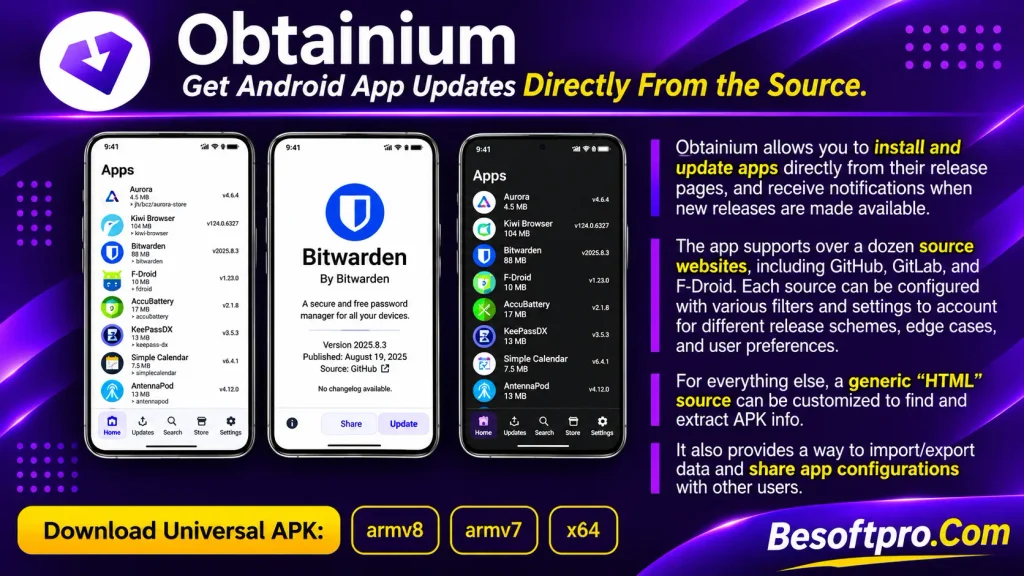
Unlike a traditional app store, Obtainium does not maintain its own independent collection of applications. Instead, it connects users with existing developer sources. When a developer publishes a new release, the application can detect the update and notify the user. The Obtainium APK Latest Version also provides options for managing multiple applications from one interface. Users can check installed versions, review release information, configure update preferences, and organize their app collections.
Is Obtainium an App Store?
Not exactly. Obtainium is an app updater and installation manager rather than a conventional app store. It retrieves application information and installation files from supported external sources. For example, if a developer publishes an Android application on GitHub, you can add its repository URL to Obtainium. The application can then monitor that release page for newer versions.
Therefore, users should understand that Obtainium does not guarantee the safety of every application available through its supported sources. Choosing trustworthy developers remains important.
Popular Types of Apps to Manage with Obtainium in Pakistan
Android users in Pakistan have different requirements depending on their interests, mobile devices, and everyday activities. Obtainium supports several categories of applications that users can manage through their preferred sources.
Here are some useful categories to explore.
1. Open-Source Android Applications
Open-source applications allow users to access publicly available source code. Many developers publish their projects on GitHub and other platforms. Obtainium makes it easier to follow these projects and receive notifications when new releases become available.
2. Privacy and Security Applications
Some Android users prefer privacy-focused applications that provide additional control over their information. These may include secure communication tools, privacy utilities, and alternative browsers. However, always verify the developer and download source before installing security-related applications.
3. Productivity and Utility Apps
Users can also manage applications designed for everyday tasks, such as file management, note-taking, document viewing, and system utilities. These tools can help improve productivity without requiring users to check individual websites regularly.
4. Messaging and Communication Apps
Some developers distribute Android communication applications through their own websites or GitHub repositories. Obtainium can help track supported releases and notify users about available updates.
5. Developer and Technical Tools
Developers, students, and technology enthusiasts may use applications related to programming, testing, automation, and device management. For these users, having access to new releases can make it easier to follow ongoing software development.
How to Get Started with Obtainium APK
Getting started is relatively simple, even if you have never used an alternative Android app manager. Follow these steps to set up your application:
- Check your Android version: Make sure your phone meets the application’s minimum Android requirement.
- Choose a download source: Visit the official Obtainium GitHub repository or its F-Droid listing.
- Download the application: Select the APK compatible with your device.
- Install the APK: Follow the Android installation instructions.
- Open Obtainium: Launch the application after installation.
- Add your first app: Enter the official release page or repository URL of an application you want to track.
- Review the information: Check the application name, version, release information, and available APK.
- Install or update: Follow the installation prompts to complete the process.
Once configured, you can manage supported applications from one place. Download the latest version of Obtainium APK from here by clicking on the download button. Save your precious time by using Obtainium APK latest version to manage applications on your Android phone.
How to Download Obtainium APK
Downloading the application from a trustworthy source is important because unofficial APK websites may distribute modified or outdated files.
For the Obtainium APK Latest Version, the official GitHub release page is the recommended starting point. The GitHub repository provides release information and different APK builds. F-Droid is another option for users who prefer managing installations through its client.
Download Information
| Application Details | Information |
| App Name | Obtainium APK |
| Latest Version | 1.7.4 |
| Developer | Imran R. |
| Category | App Manager / Updater |
| Platform | Android |
| License | GPL-3.0-only |
| Latest Release | November 1, 2026 |
| Price | Free |
| Minimum Android | Android 8.0 or newer |
| Official Source | GitHub |
Note: APK file size and architecture depend on the selected release build. The official GitHub release provides several APK variants, so choose the appropriate one for your device.
How to Install Obtainium APK on Android
After downloading the installation file, follow these instructions to install it on your Android smartphone.
1-Locate the Downloaded File
Open your phone’s File Manager and navigate to the Downloads folder. Find the Obtainium APK file you downloaded.
2-Allow Installation from Your Browser
If Android blocks the installation, open your phone’s settings and find the option to allow your browser or file manager to install unknown applications. The exact menu location may vary depending on your Android version and phone manufacturer.
3-Install the Application
Tap the downloaded APK file and select Install. Wait for Android to complete the installation process.
4-Open the App
Once installed, open Obtainium from your application drawer. You can now explore its interface and configure your preferred settings.
5-Add Applications
Select the option to add an application. Enter a supported developer release URL, such as a GitHub repository address. Obtainium will attempt to identify the source and retrieve the available release information.
Security tip: Disable the unknown-app installation permission for your browser or file manager after installation if you no longer need it.
Features of Obtainium APK for Android
The Obtainium APK Latest Version offers several useful features for Android users who prefer managing applications directly from their developers. Here are some of its important capabilities.
1. Direct App Downloads
One of its main advantages is the ability to retrieve applications from their original release pages. Instead of searching multiple websites manually, users can add supported sources and manage their applications through one interface.
2. Automatic Update Notifications
Obtainium can notify users when newer releases become available. This feature is particularly helpful for applications that receive frequent updates. Users can check the available release and decide when to install it.
3. Multiple Supported Sources
The application supports several platforms, including:
- GitHub
- GitLab
- Codeberg (Forgejo)
- F-Droid
- IzzyOnDroid
- SourceHut
- APKPure
- Aptoide
- Uptodown
- itch.io
- Huawei AppGallery
- RuStore
- Other supported sources
Some sources offer direct downloads, while others may provide tracking-only functionality.
4. Application Management
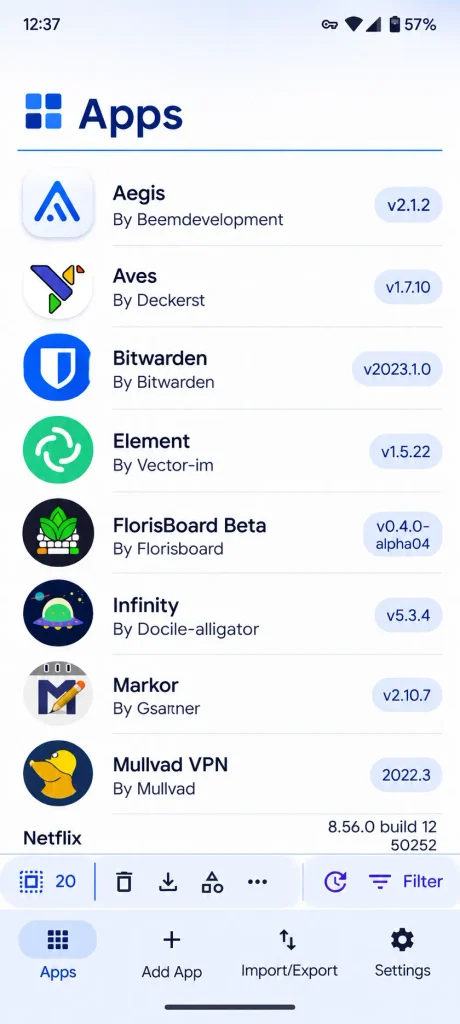
Users can maintain a list of applications they want to monitor. The interface provides useful information about installed versions, available updates, and individual app details.
5. Import and Export Options
Another useful feature is the ability to import and export application configurations. This makes it easier to restore an existing app list or share configurations with other users.
6. Background Update Checks
Users can configure background update checks according to their preferences. Available settings include update intervals and certain network or charging conditions. Background installation capabilities depend on Android permissions, device configuration, and the selected installation method.
7. Customizable Settings
The application provides several customization options, including themes, categories, sorting preferences, and source-specific settings. These options help users organize their applications according to their needs.
8. Release Information and Changelogs
Users can review version information and release notes before installing updates. This is helpful when they want to understand what has changed or determine whether a particular release is worth installing.
What’s New in Obtainium APK Latest Version 2026?
The Obtainium APK Latest Version 2026 is version 1.7.4, released on November 1, 2026. This release focuses mainly on compatibility improvements, installation controls, and bug fixes. Here are some notable changes:
- Improved URL handling: Fixed URL parsing issues affecting self-hosted instances.
- Installation method selection: Added a per-application installation method setting.
- Android compatibility: Improved signing certificate checks for Android 9 and Android 10.
- APK selection: Improved the preference for architecture-specific APK files when a universal APK was previously selected.
- Better changelog presentation: Corrected changelog links and preserved line breaks.
- Source cleanup: Removed the discontinued APKCombo source.
- Language improvements: Updated Russian, Hungarian, and Simplified Chinese translations.
These changes make the application more reliable when managing releases from different sources.
Should You Update Obtainium from an Older Version?
If you already use Obtainium, updating is generally a good idea because newer releases can include important compatibility improvements and bug fixes.
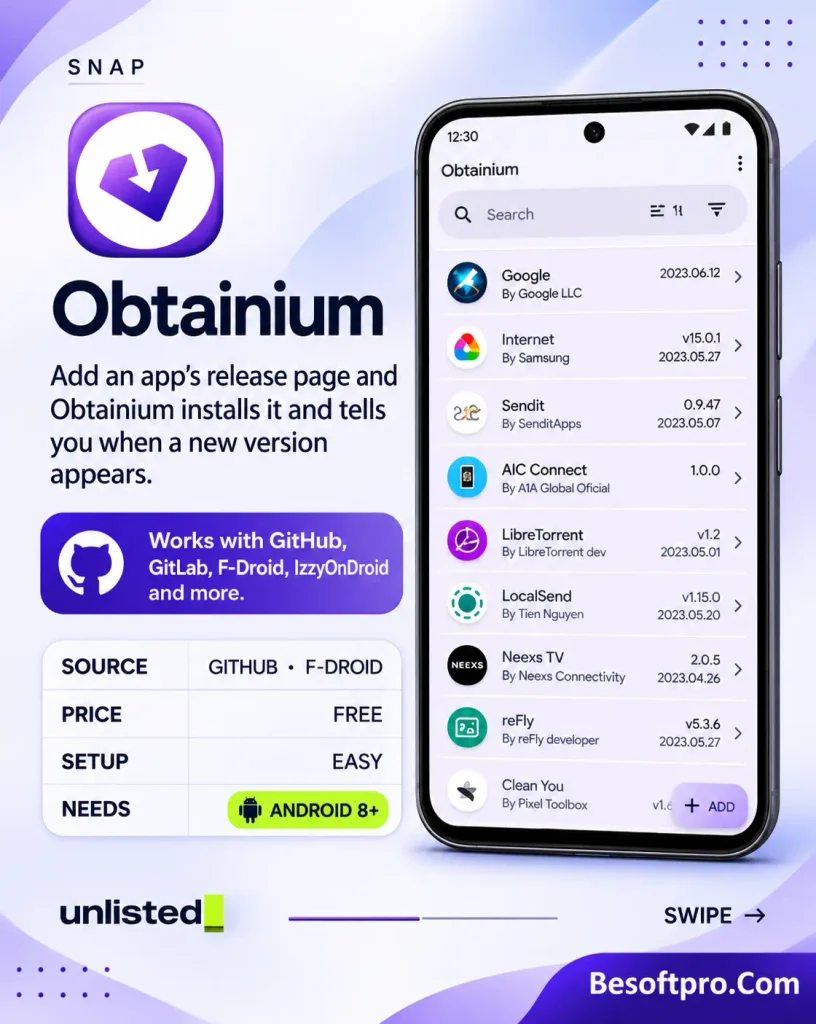
However, always use a trusted installation source and check that the APK is compatible with your existing installation. Users searching for an Obtainium APK old version should also understand that older releases may lack important improvements and could contain previously fixed problems.
Tips for Beginners Using Obtainium for Android
If you are new to this application, a few simple practices can help you use it more effectively.
Use Official Developer Links
Always add applications through their original developer websites or trusted repositories whenever possible. A familiar application name does not automatically make a download trustworthy.
Check Release Information
Before installing an update, review its version number and changelog. This helps you understand what you are installing.
Choose the Correct APK Architecture
Some applications provide different APK builds for different processor architectures. Choose a compatible version rather than downloading a random file.
Keep Your Application List Organized
Use categories to separate productivity, privacy, communication, and other applications. This makes it easier to manage a growing collection.
Back Up Your Configurations
Use the import and export feature to keep a backup of your app configurations. This can save time if you change phones or need to reinstall the application.
Avoid Unverified APK Sources
Some supported third-party websites rely on automated page extraction. Their layouts can change, and downloads may not always be available or reliable. Prefer official developer releases whenever possible.
Review Update Permissions
Background update checks and silent installation are not the same thing. Review the available settings and understand which permissions your device requires.
Pros and Cons of Obtainium APK Latest Version
Like other Android application managers, Obtainium has advantages and limitations. Understanding both sides will help you decide whether it suits your requirements.
Pros
- Free and open-source application.
- Supports multiple app release platforms.
- Provides notifications for new releases.
- Helps manage applications from one interface.
- Offers import and export functionality.
- Includes customizable update settings.
- Provides release details and changelogs.
- Useful for following open-source Android projects.
Cons
- Requires users to identify trustworthy download sources.
- Not every application or website is supported.
- Some sources depend on web scraping.
- Certain APKs require manual architecture selection.
- Background installation may require additional permissions.
- Beginners may need time to understand source configuration.
- It does not replace every feature of a traditional app store.
Is Obtainium APK Safe to Use?
Obtainium is an open-source project distributed under the GNU General Public License version 3.0. Its publicly available source code allows developers and interested users to examine how the application works.
However, the safety of an application downloaded through Obtainium also depends on its original source. For example, an APK published directly by a trusted developer is generally preferable to an unknown file hosted on an unfamiliar website.
Before installing any application, consider these precautions:
- Verify the developer’s identity.
- Check the official repository or website.
- Review the APK signing information when available.
- Read release notes before installing updates.
- Avoid modified or suspicious installation files.
- Review requested Android permissions.
- Keep your phone’s security updates current.
The Obtainium APK Latest Version is a useful tool, but it cannot guarantee that every third-party application it tracks is safe.
Is Obtainium APK Mod Available?
You may find websites advertising an Obtainium APK Mod or modified editions. However, Obtainium is already free and open-source, so a modified premium version is unnecessary.
There is no official premium subscription that requires unlocking through a modified APK. For security and reliability, avoid unofficial modified packages and download the original application from its developer.
Why Choose Obtainium APK for Android?
The Obtainium APK Latest Version is a practical option for people who want greater control over how they obtain and update Android applications. Its biggest advantage is convenience. Users can follow applications from different supported platforms without repeatedly visiting individual release pages.
Moreover, its open-source nature makes it appealing to people who prefer transparent software. The import/export tools, update notifications, and customizable settings also make it useful for managing multiple applications.
For Android enthusiasts in Pakistan, it can be particularly helpful when following projects that are distributed outside conventional app stores. Nevertheless, it is important to remember that users remain responsible for selecting reliable sources and reviewing the applications they install.
Frequently Asked Questions (FAQs)
1. What Is Obtainium APK Used For?
Obtainium is an Android application manager that helps users install and update applications directly from supported developer release pages.
2. Is Obtainium APK Latest Version Free?
Yes. Obtainium is free and open-source software released under the GPL-3.0-only license.
3. What Is the Latest Obtainium Version in 2026?
Version 1.7.4 is the latest published release as of November 15, 2026. It was released on November 1, 2026.
4. Does Obtainium Work on Android Phones in Pakistan?
Yes. Obtainium is an Android application, and users in Pakistan can install it if their devices meet the system requirements and can access its download sources.
5. Can Obtainium Automatically Update Applications?
It can check for new releases and provide notifications. Background installation depends on the Android version, permissions, and supported installation configuration.
6. Can I Install Older Versions of Obtainium APK Version?
Yes. Previous releases are available through the official GitHub releases page. However, using an older version may mean missing important bug fixes and improvements.
7. Does Obtainium APK Latest Version Supports GitHub?
Yes. GitHub is one of its main supported sources. Users can add a repository URL and track available application releases.
Conclusion
Obtainium is a useful Android application manager for people who prefer downloading software directly from developer release pages. Its support for multiple sources, update notifications, customizable settings, and import/export options makes application management more convenient.
The Obtainium APK Latest Version 1.7.4 brings additional improvements to URL handling, installation methods, APK selection, and compatibility. It is a worthwhile option for Android enthusiasts who regularly use open-source applications and want greater control over updates. If you decide to try Obtainium, download the original APK from its official GitHub repository or use the F-Droid client. Always verify application sources before installing anything, and keep your device protected with regular security updates.
Download links
How to install Obtainium APK Latest Version 2026 | Download and Complete Guide APK?
1. Tap the downloaded Obtainium APK Latest Version 2026 | Download and Complete Guide APK file.
2. Touch install.
3. Follow the steps on the screen.